
The PrestaShop 1.2.2 module generates, cancels and tracks the shipping label from the order
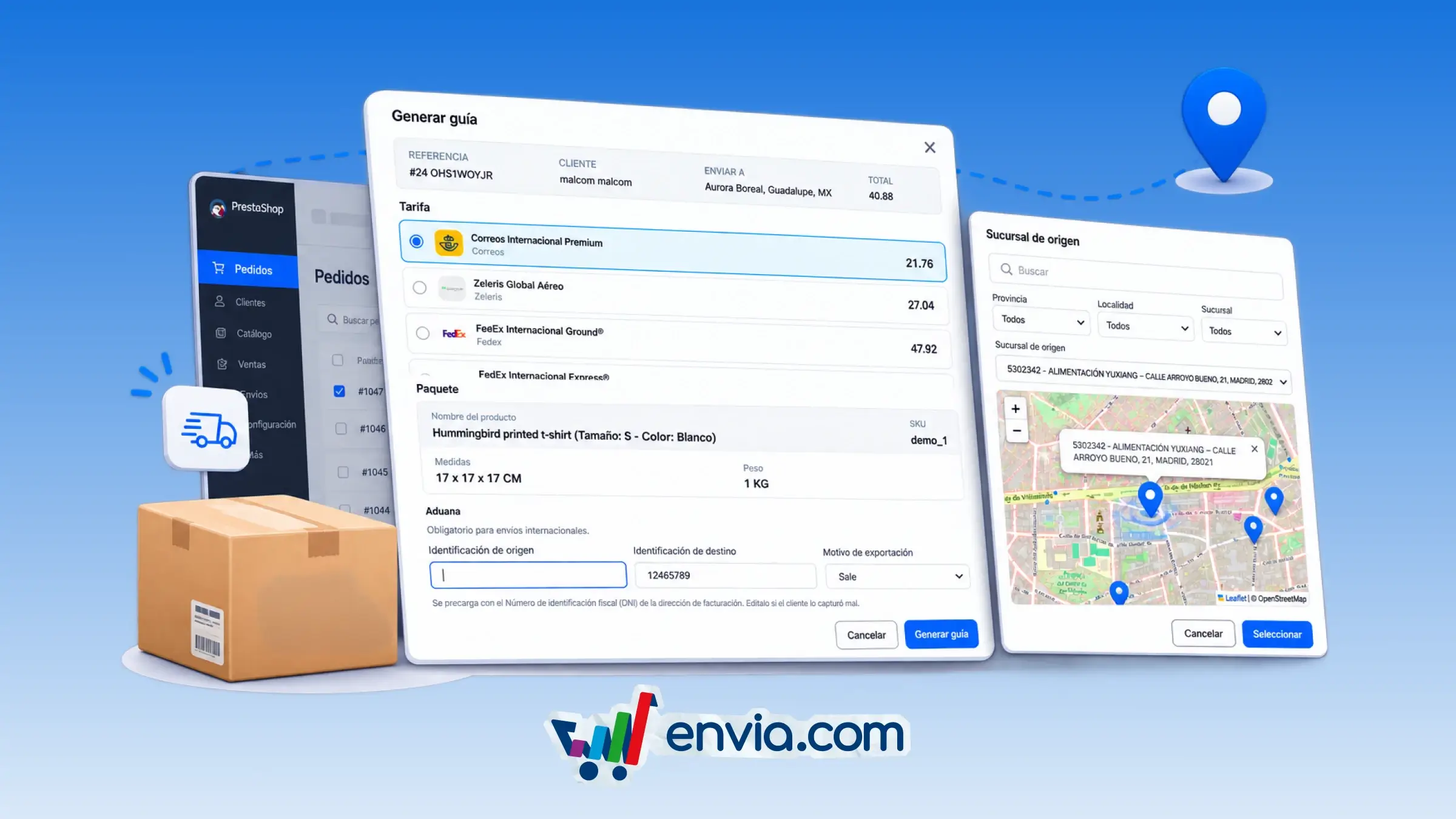
With the PrestaShop 1.2.2 module, you can generate the shipping label from the order, check tracking in real time, and cancel or unlink the shipment if it is no longer going out. Before confirming, you see the package breakdown, with dimensions, weight, carrier service and rate, and for a branch-to-door or branch-to-branch service you choose the origin branch on the map. For an international shipment, the module checks the origin and destination ID, the export reason and the HS code, pre-fills the buyer's ID from the billing address document so you can correct it, and if the HS code is missing it asks you to update it in Envia.com before generating the label. In the order list you see the carrier and the status in Envia.com, generate the label on orders that can be quoted, and open Envia.com to process shipments in bulk. The order shows statuses such as created, awaiting pickup, in transit, out for delivery, delivered or canceled, and from there you open the package tracking screen. At checkout, you show or hide the carrier logos and the estimated delivery time based on your Envia.com account settings.
Benefits
- See the package breakdown with dimensions, weight, carrier service and rate, choose the origin branch on the map, and cancel the label or unlink the shipment from the order.
- The module validates the ID, export reason and HS code, pre-fills the buyer's document, and asks you to update the code in Envia.com before generating the label. It also warns you if your balance is insufficient or if label generation from the store is disabled.
- Check statuses such as created, awaiting pickup, in transit, out for delivery, delivered or canceled, open the tracking screen, and at checkout show or hide the carrier logo and the estimated delivery time.
Note
For an international shipment, each product needs its HS code registered in Envia. In the classic checkout, an international purchase requires a tax ID or DNI in the billing or shipping address.