
Request a carrier activation with the new button in your quote
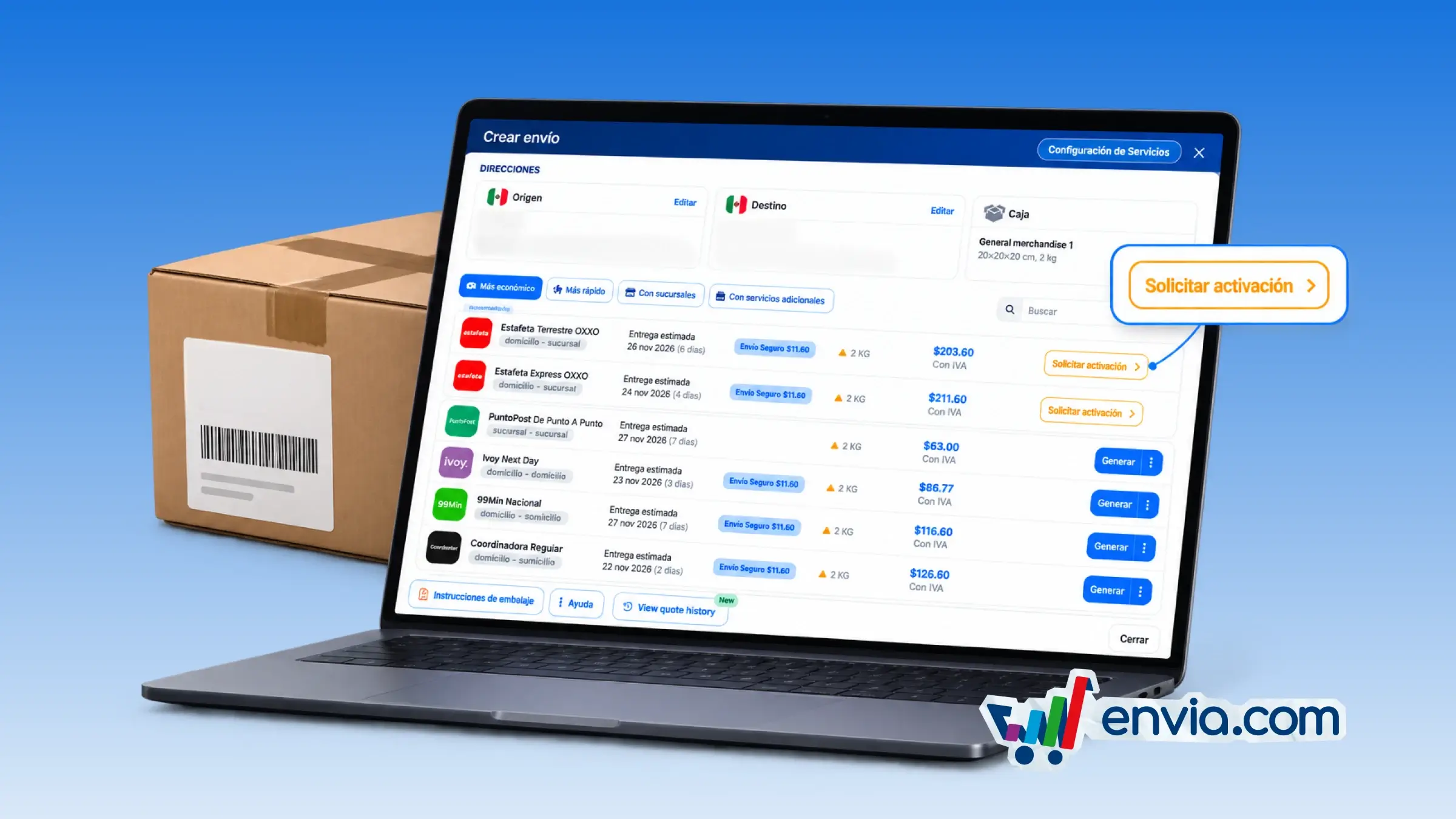
In your quote, each carrier that's only available for price lookup shows a Request activation button in its row, instead of Generate. When you tap the button, or any part of the row, the same activation request form opens, without going through payment. You'll find it in Create shipment, in the quoter, in your quote history, and when quoting an order from your store, for domestic shipments. Carriers you've already activated keep their Generate button.
Benefits
- You can tell in the same list which carriers you can already use and which ones you still need to activate.
- You see at a glance where to request activation, with a clear button in each carrier's row.
- You compare prices across all carriers knowing in advance which one still needs to be enabled on your account.
Note
The request works the same as always. The Envia team reviews it and enables the carrier on your account.