
 Mexico - Español
  Australia - English
  Canada - English
  India - English
  South Africa - English
  United Kingdom - English
  United States - English
  France - Français
  Italy - Italian
  Brazil - Português
  Portugal - Português
  Argentina - Español
  Chile - Español
  Colombia - Español
  Guatemala - Español
  Peru - Español
  Puerto Rico - Español
  Spain - Español
  Uruguay - Español
 See if a shipping label is lost, damaged, or delivered directly from the incident list
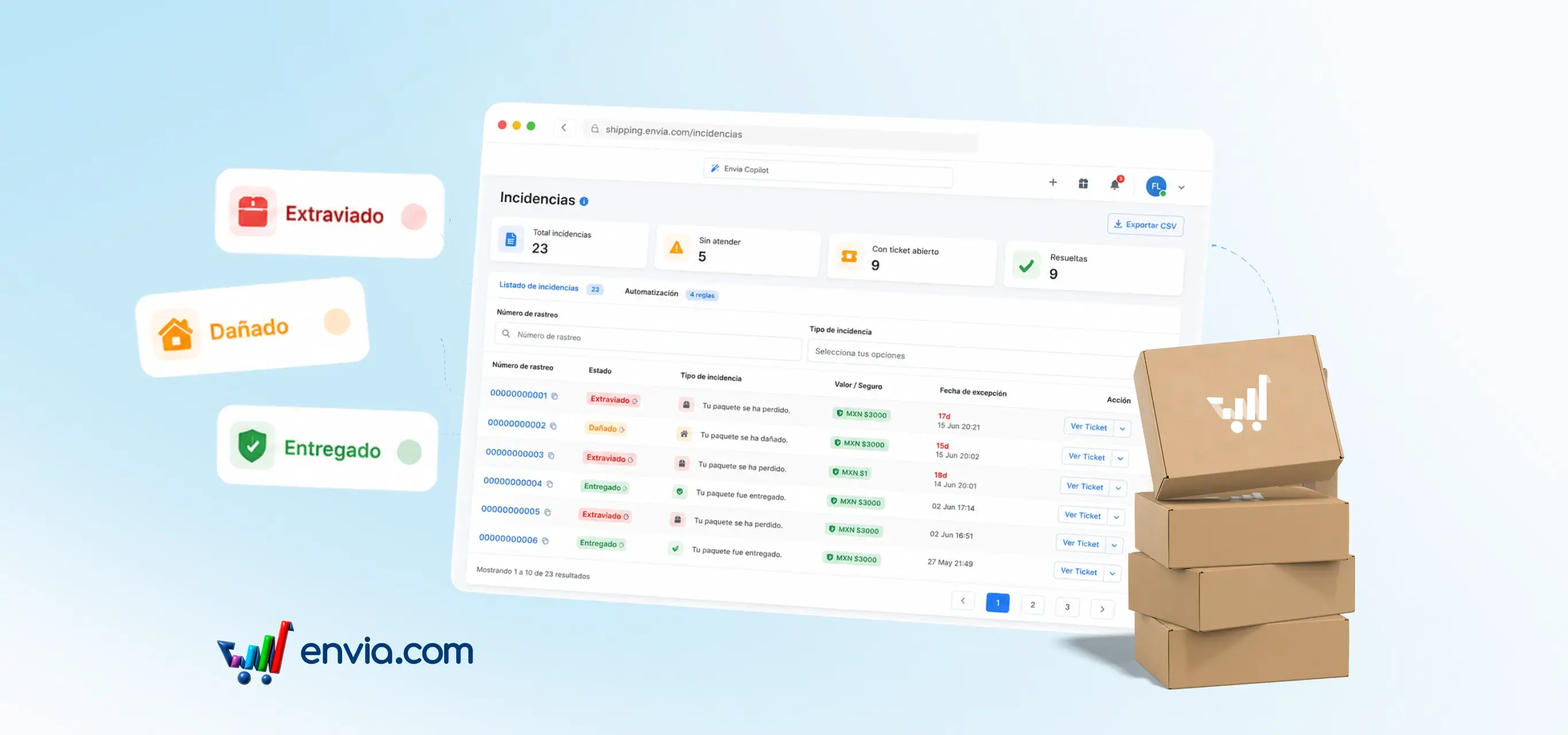
In the incident list, each shipping label shows its current status with a colour badge — lost, damaged, or delivered — so you can immediately identify what type of problem it has without opening the record. The side menu also shows a real-time counter of active incidents, visible from any section of the platform. The age column is now called Exception Date and shows when the problem occurred; once the ticket is resolved, that date is locked to reflect the moment of the incident rather than when the case was closed. This is especially useful when you're managing several shipments with incidents at the same time and need to prioritise the ones that are lost or damaged without reviewing them one by one. With the status visible in the list and the counter in the menu, you have enough context to act without switching screens.
Benefits
- You can identify the status of each shipping label with an incident at a glance and decide which to handle first, without opening each record to see what happened to the package.
- Incident tickets don't switch to Follow-up status when you send a message that doesn't require a response from the team, so you don't have to manually check whether the case is still active or already handled.
- The exception date stands as evidence of the exact moment the problem occurred, regardless of when the case was closed, giving you reliable backup if you need to document or file a claim with the carrier.