
 Mexico - Español
  Australia - English
  Canada - English
  India - English
  South Africa - English
  United Kingdom - English
  United States - English
  France - Français
  Italy - Italian
  Brazil - Português
  Portugal - Português
  Argentina - Español
  Chile - Español
  Colombia - Español
  Guatemala - Español
  Peru - Español
  Puerto Rico - Español
  Spain - Español
  Uruguay - Español
 Activate every carrier you want in your store's checkout
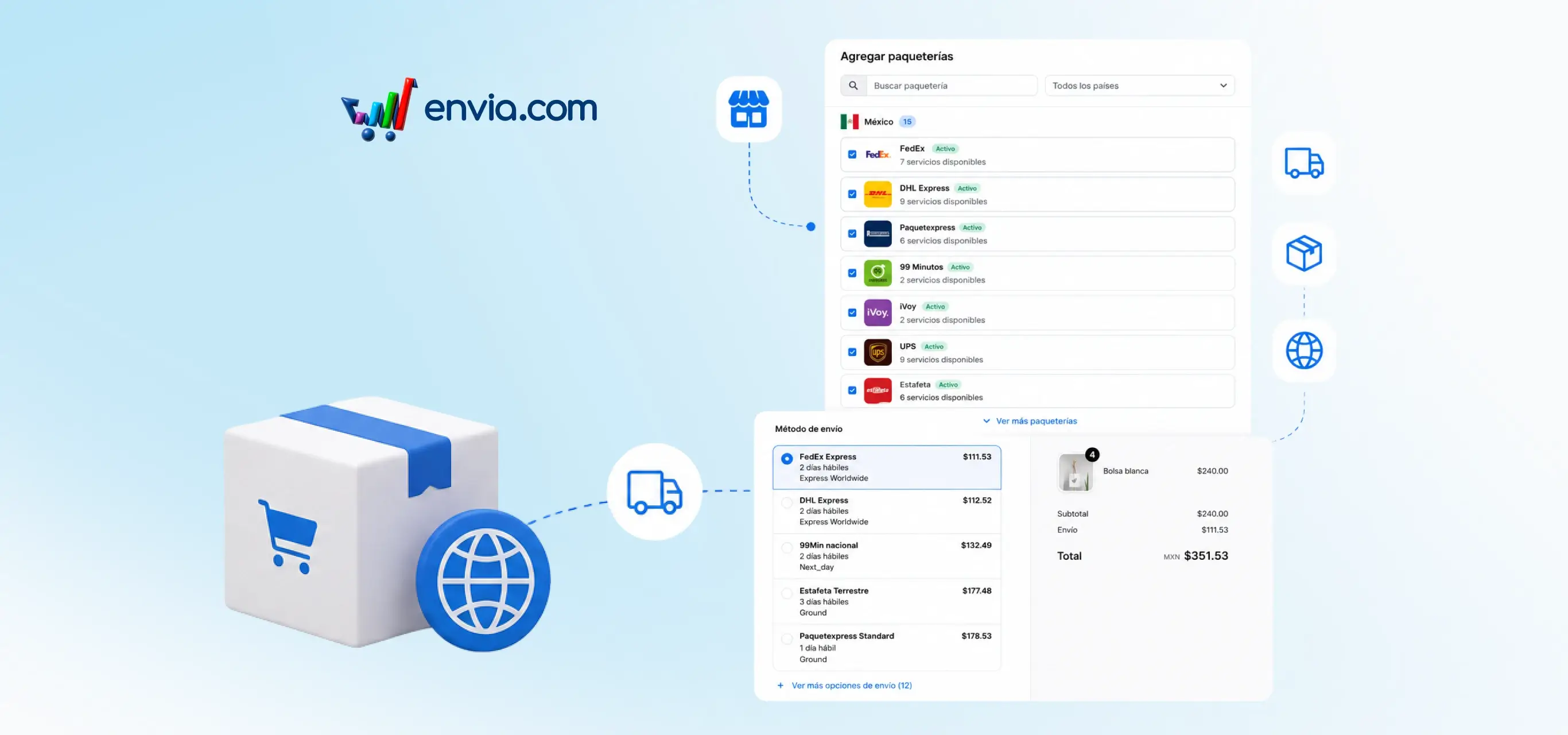
Set up your store's checkout with every carrier that covers your destinations, with no limit on how many you can activate per country. From your ecommerce integration settings, activate the ones you want per country and save the changes. The checkout shows them to your buyers immediately when they get a shipping quote, with no extra setup needed. If you serve destinations where coverage varies by carrier, you can activate all of them instead of prioritising just a few. More options at checkout means your buyer finds the one that best suits their order and completes the purchase.
Benefits
- You control exactly which carriers your buyers see by destination, with no system limit on how many you can have active at the same time.
- Activate or deactivate carriers in your settings and the change reaches checkout in real time, with no need to reconnect your store or republish it.
- Your buyers see every shipping option available for their destination and choose the one that works best for them, reducing checkout abandonment.