
 Mexico - Español
  Australia - English
  Canada - English
  India - English
  South Africa - English
  United Kingdom - English
  United States - English
  France - Français
  Italy - Italian
  Brazil - Português
  Portugal - Português
  Argentina - Español
  Chile - Español
  Colombia - Español
  Guatemala - Español
  Peru - Español
  Puerto Rico - Español
  Spain - Español
  Uruguay - Español
 Set the order currency by adding the first product
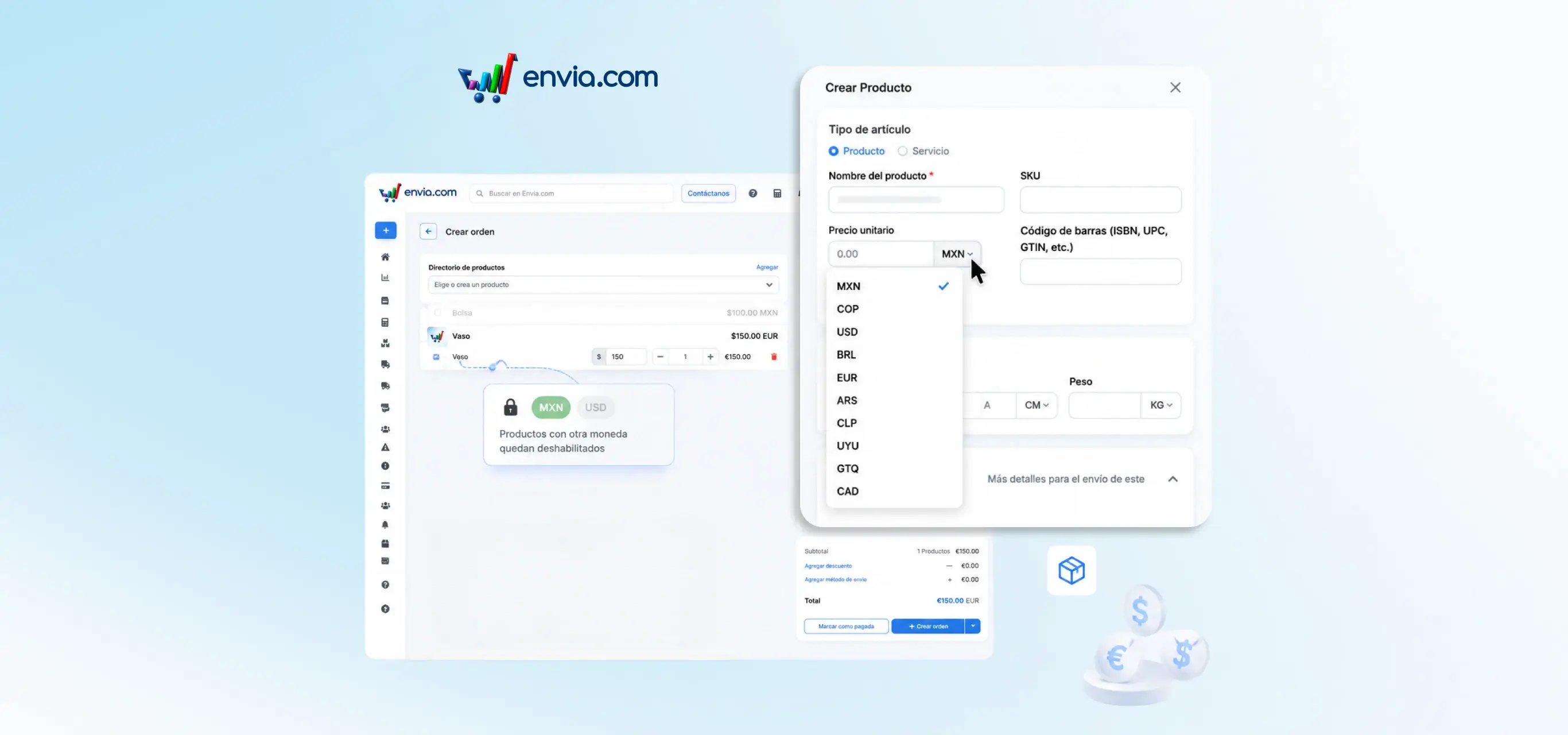
When creating a manual order in Ecommerce Pro, the first product you add determines the currency for the entire order. Products in a different currency are disabled in the search so that prices are not mixed. Totals, the summary, and the payment confirmation are shown in the order's currency. If you clear the product list, you may choose the currency again when adding the first product. This helps avoid incorrect totals when your catalogue has prices in more than one currency, especially if you later charge using a payment link.
Benefits
- You ensure the entire order uses a single currency from the first product you add.
- The system blocks products in a different currency, so you do not need to check prices manually.
- Clear totals in the correct currency, ready to quote, charge, or generate the shipping label without confusion.
Note
The currency is set by the first product. To change it, remove all products from the order and add one in the required currency first.