
 Mexico - Español
  Australia - English
  Canada - English
  India - English
  South Africa - English
  United Kingdom - English
  United States - English
  France - Français
  Italy - Italian
  Brazil - Português
  Portugal - Português
  Argentina - Español
  Chile - Español
  Colombia - Español
  Guatemala - Español
  Peru - Español
  Puerto Rico - Español
  Spain - Español
  Uruguay - Español
 Choose compact or spacious rows in the Ecommerce orders table
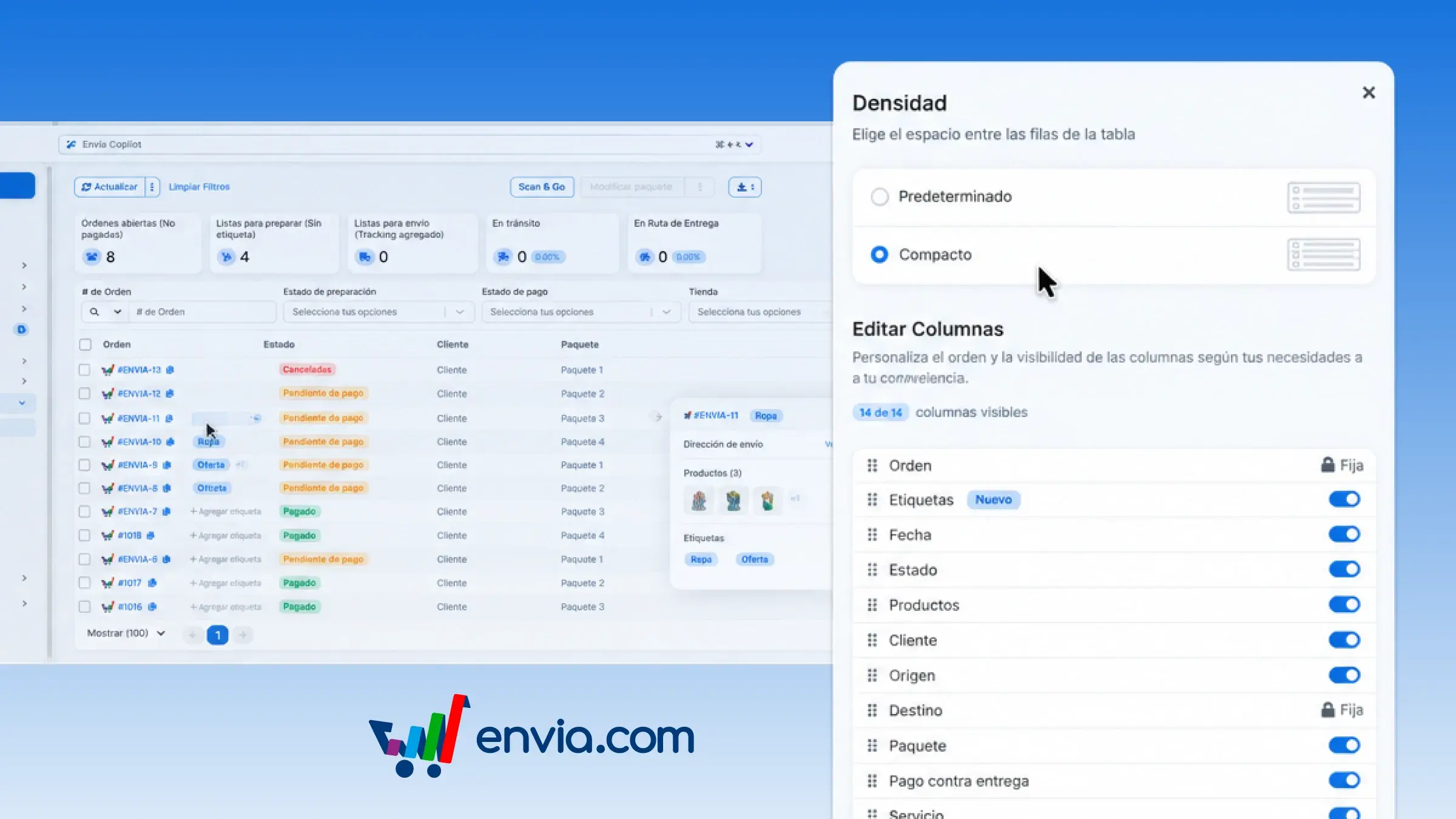
In the Ecommerce Pro orders table, you can choose roomier rows or compact rows to review more orders on the same screen. Open the table settings, go to Density, and select Default or Compact. In Compact view, each order fits on a single line: number, status, customer, and package are summarized, and the address, products, and tags that don't fit appear when you hover over them. Envia.com saves your choice and applies it again the next time you log in. It's useful when you're preparing the day's queue and want to quickly spot which orders still need a quote, payment, or shipping label. You see more orders at a glance and the full details are just a hover away, so you don't create a label for the wrong order.
Benefits
- You choose whether the orders table uses spacious or compact rows, and Envia.com saves that choice for the next time you log in.
- In Compact view, each order is summarized in one line and extra details appear on hover, so you can review more orders without opening each one.
- The address, products, and statuses remain available on hover, so you can confirm the right order before creating the shipping label.
Note
Compact view applies to the orders table on desktop. On mobile, orders are still shown as cards.